
Betting Setup
Let viewers wager loyalty points on your overlay. Connect a points provider once - it works across all your overlays with the betting feature.
1. Get a Jebaited token
- Go to jebaited.net and sign in with StreamElements.
- Select "API Tokens" on the left side panel
- Create a token with the addPoints scope. Add botMsg too if you want win/loss announcements in chat.
- Copy the token.
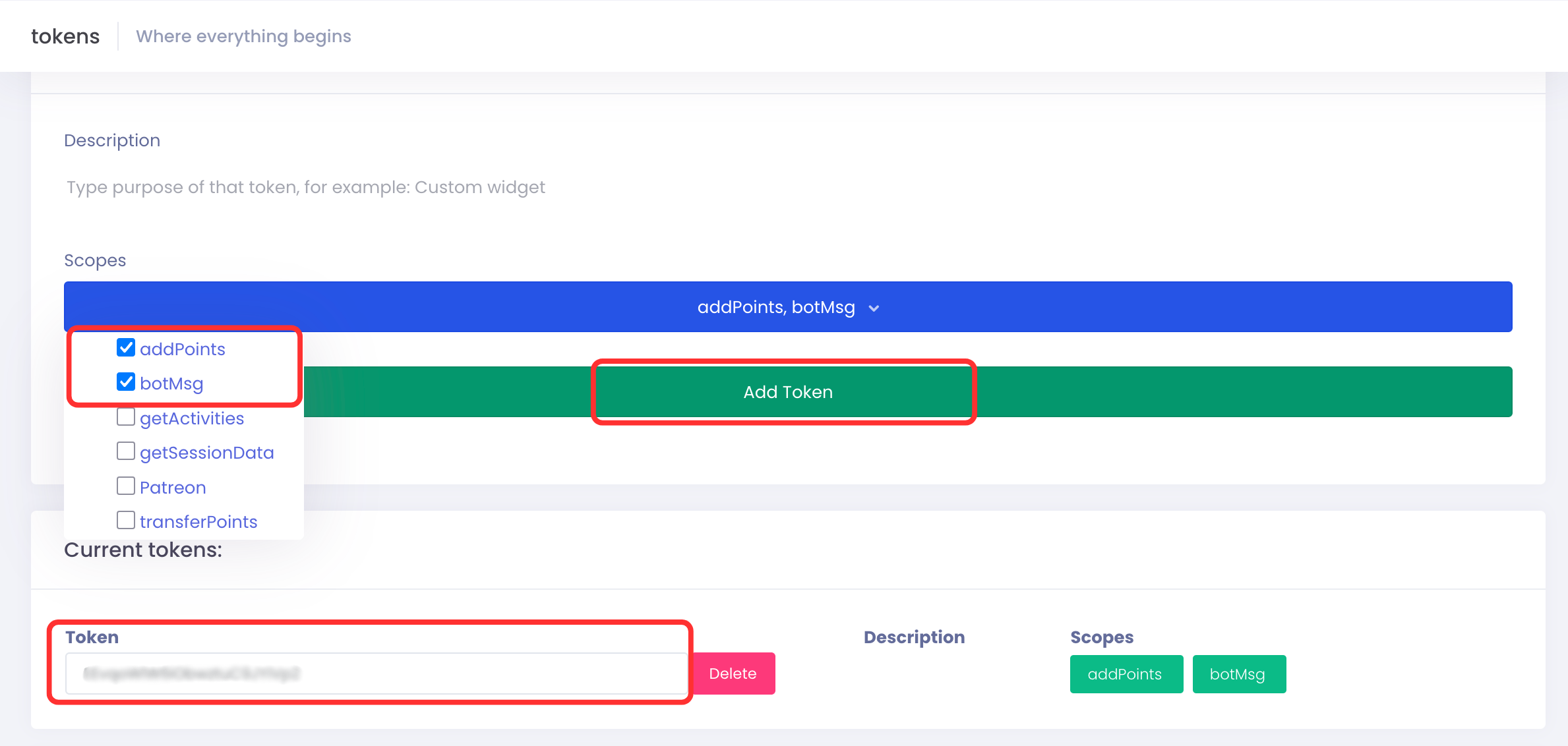
2. Connect it
Open your Connections page in your dashboard, paste the token, and connect. You connect once - every current and future betting overlays uses it.
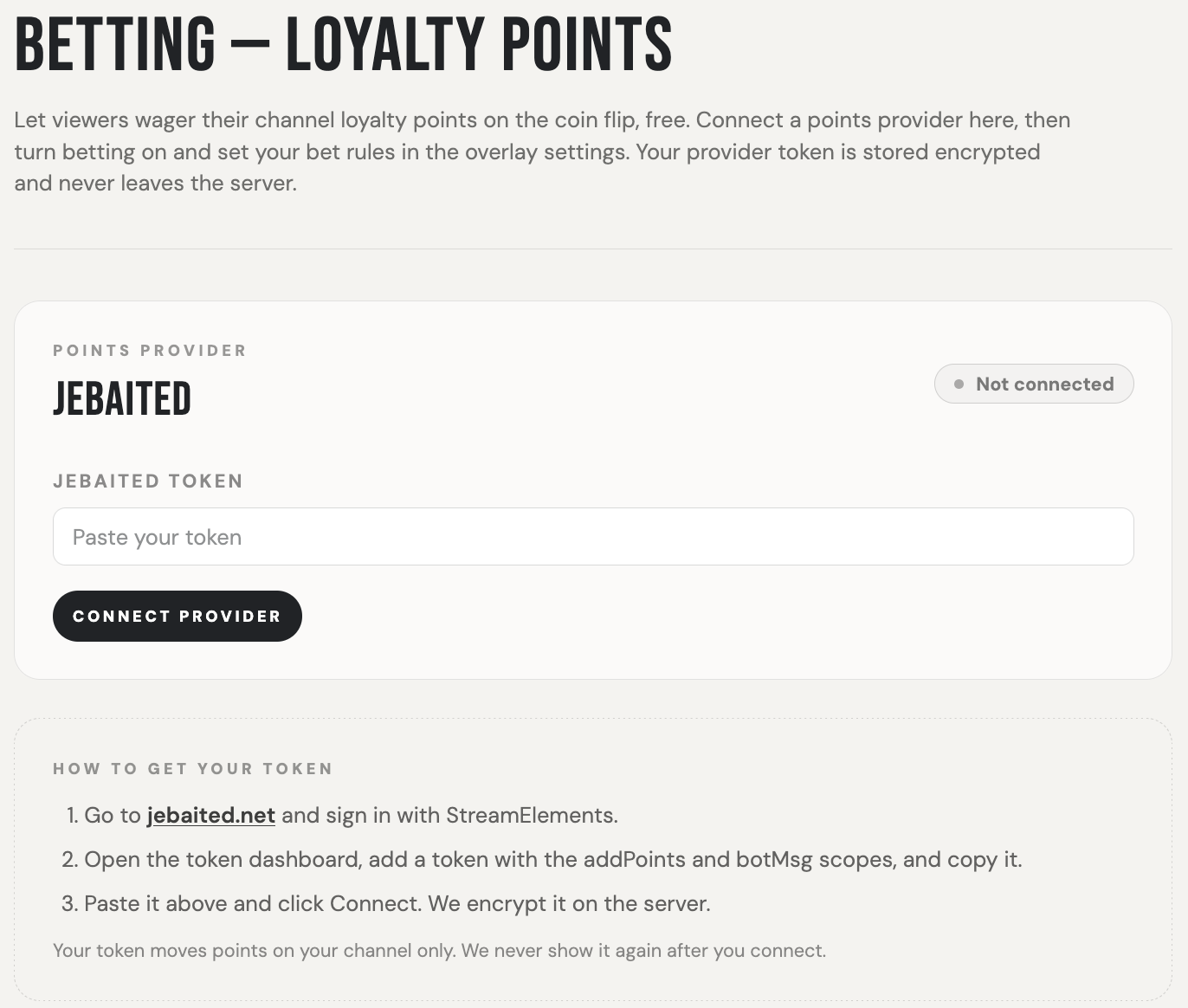
3. Set your rules
In your overlay settings, turn on Enable betting, then set:
- Bet command — what viewers type. Example:
!betcoin. - Min / max wager, payout multiplier, per-user cooldown, daily cap.
- Announce in chat (optional) — needs the botMsg scope on your token.